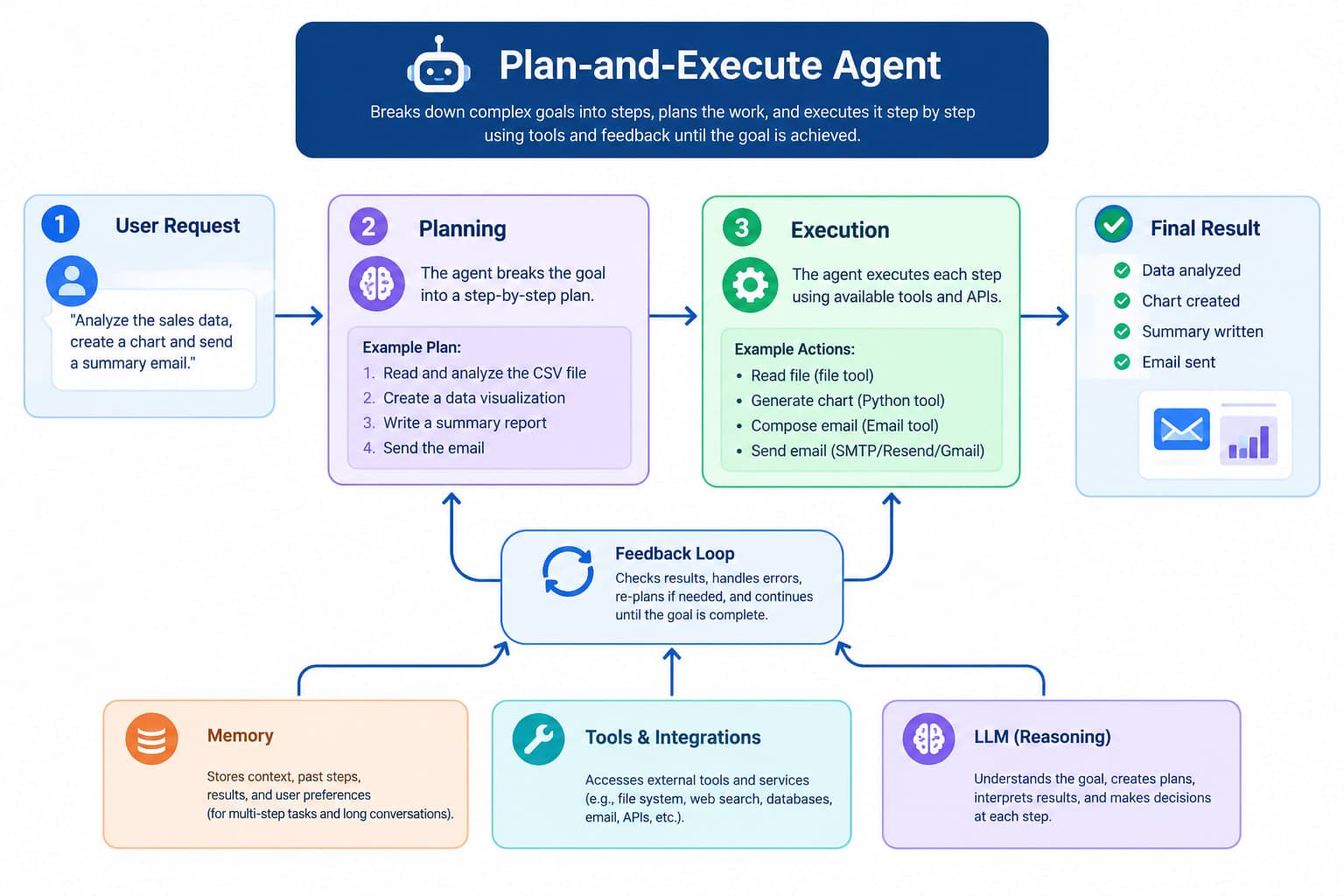
This article explains the operational flow of the Denbegnaye Plan-and-Execute agent, which automates complex tasks within the Denbegnaye AI workflow platform. You will learn how the agent systematically processes tasks and how to use the platform's controls to monitor its progress and intervene when necessary.
[MISSING INFORMATION: Specific prerequisites for using the Plan-and-Execute agent, such as required permissions, software versions, or prior setup steps, are not provided in the source material.]
The Denbegnaye Plan-and-Execute agent is designed to manage complex AI workflows by breaking down problems into manageable stages. It operates in three distinct phases to ensure a clear and observable progression.
The Denbegnaye platform provides tools to monitor and manage the Plan-and-Execute agent's progress in real-time.
These features allow you to observe the agent's progress, understand its current actions, and intervene in its execution as needed.
[MISSING INFORMATION: The source article describes the agent's internal process and user controls, but does not provide specific, numbered steps for a user to initiate, configure, or start a workflow using the Plan-and-Execute agent. For example, it does not specify UI labels for starting a new workflow, selecting the agent, or providing initial inputs.]
After the Plan-and-Execute agent completes its workflow, it delivers a unified and coherent solution. This outcome integrates all individual results from the executed steps, reflecting the complete strategy devised at the outset. You can monitor the agent's progress throughout to ensure it aligns with your objectives.
[MISSING INFORMATION: The source article does not provide any troubleshooting information for common issues that might arise when using the Plan-and-Execute agent, such as errors during planning, execution failures, or unexpected results.]